How to sort a YouTube channel's videos by length
YouTube sorts a channel by date or by popularity, never by how long each video is. To find a channel's longest videos, its full episodes and streams, or its shortest ones, you have to put them in that order yourself.
What YouTube offers
A channel's Videos tab has three chips above the grid: Latest, Popular and Oldest. None of them looks at length. Each tile shows its length in the corner, so the only way to spot the longest one is to scroll the whole channel and compare the numbers.
Search is not much better. Its Duration filter puts the results into three groups, short, medium and long, and inside each group the order is still YouTube's. It narrows the list; it never puts the longest video first. And since January 2026 search has no sort menu beyond Relevance and Popularity, as the guide to sorting YouTube search by upload date explains.
Sort a channel by length, longest first
- Add Sortflare to Chrome. It is free and needs no account.
- Open the channel on youtube.com and switch to its Videos tab.
- Press Alt+S, choose how many videos to cover, set Sort to Duration and Order to High to low.
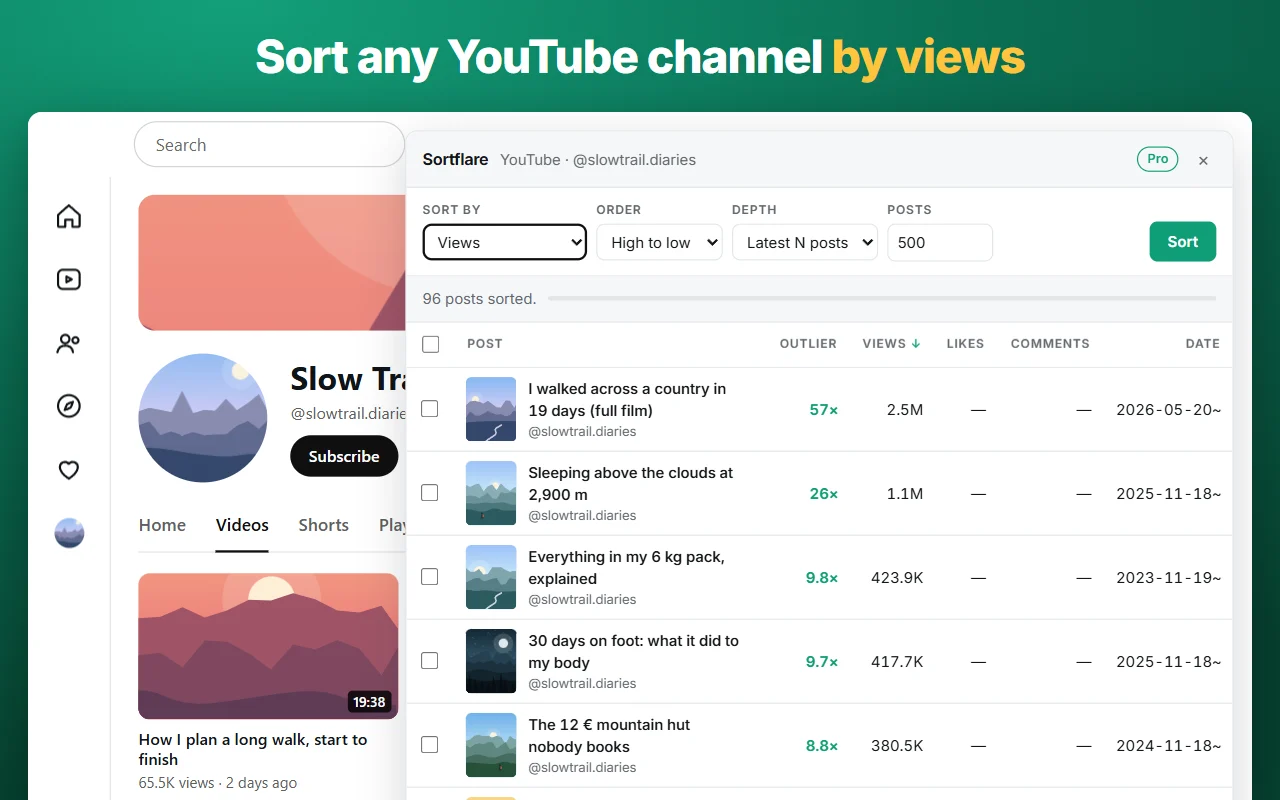
The panel lists the videos from longest to shortest, each with its views, how long ago it went up and a link to it. Set Order to Low to high and the shortest come first. The grid on the page stays as YouTube drew it.
The free plan covers the channel's latest 25 videos. To sort every video a channel has ever posted, that is a Pro feature, and you choose how many to cover or a date range.
What has no length
Sortflare reads the length from the badge on each tile. A stream that is live right now and a premiere that has not started have no badge yet, so they go to the bottom of the list whichever order you pick. Past streams have their length and sort like any other video.
The Shorts tab shows views on each tile but no length, so sorting Shorts by Duration does nothing useful. Sort them by views instead: here is how to sort a channel's Shorts by views.
Search results by length
The same sort works on a search. Search on youtube.com, press Alt+S and sort by Duration. Sortflare scrolls the results to load them, as you would, and puts the longest first. It covers the videos YouTube returns for that search, not every video on the topic. Use the Duration filter first if you only want long videos, then sort what is left.
Length with views
The longest video is not always the one worth watching. Sort by Duration to find the long ones, then switch the sort to Views or outlier score to see which of them people actually watched. The list is already loaded, so changing the sort is instant.
To keep the list, export it to Google Sheets, Excel, CSV or JSON: every video comes with its title, link, views, date and its length in seconds, so you can filter by length in the spreadsheet. The export guide shows the columns. For the other orders YouTube does have, see how to see a channel's first video and how to sort a channel by views.
Questions
Can YouTube sort a channel's videos by length?
No. A channel's Videos tab only has the Latest, Popular and Oldest chips. Search has a Duration filter, but it sorts results into three length groups instead of ordering them.
How do I find the longest video on a YouTube channel?
Open the channel's Videos tab on youtube.com, press Alt+S with Sortflare installed, and sort by Duration, high to low. The top row is the longest video in what you scanned.
Can I see the shortest videos first?
Yes. Sort by Duration and set the order to low to high.
Can I sort a playlist by length?
Not with Sortflare. It sorts a channel's Videos and Shorts tabs and YouTube search results; a playlist page is not one of them.
Does it work in the YouTube app?
No. Sortflare is a desktop extension for Chrome, Edge, Brave, Arc and Opera, and works on youtube.com.
Free to install. No account to start.
The free plan sorts the latest 25 posts, however old, exports everything and downloads without limits. Pro sorts the whole profile, from $9 a month.