Sort Facebook Reels by views, likes or outlier score
Open the Reels feed, a page's Reels or a single Reel and see them ranked by what performed. Download or transcribe the ones you pick.
How to sort Facebook Reels by views
Open Reels
On facebook.com, open the Reels feed, a page's Reels tab, or a single Reel.
Press Alt+S and click Sort
Sortflare reads the Reels Facebook loads as you scroll and ranks them by views, likes, comments, date or outlier score.
Download, transcribe or export
Pick the Reels you want, download them, transcribe them, or send the whole list to a spreadsheet.
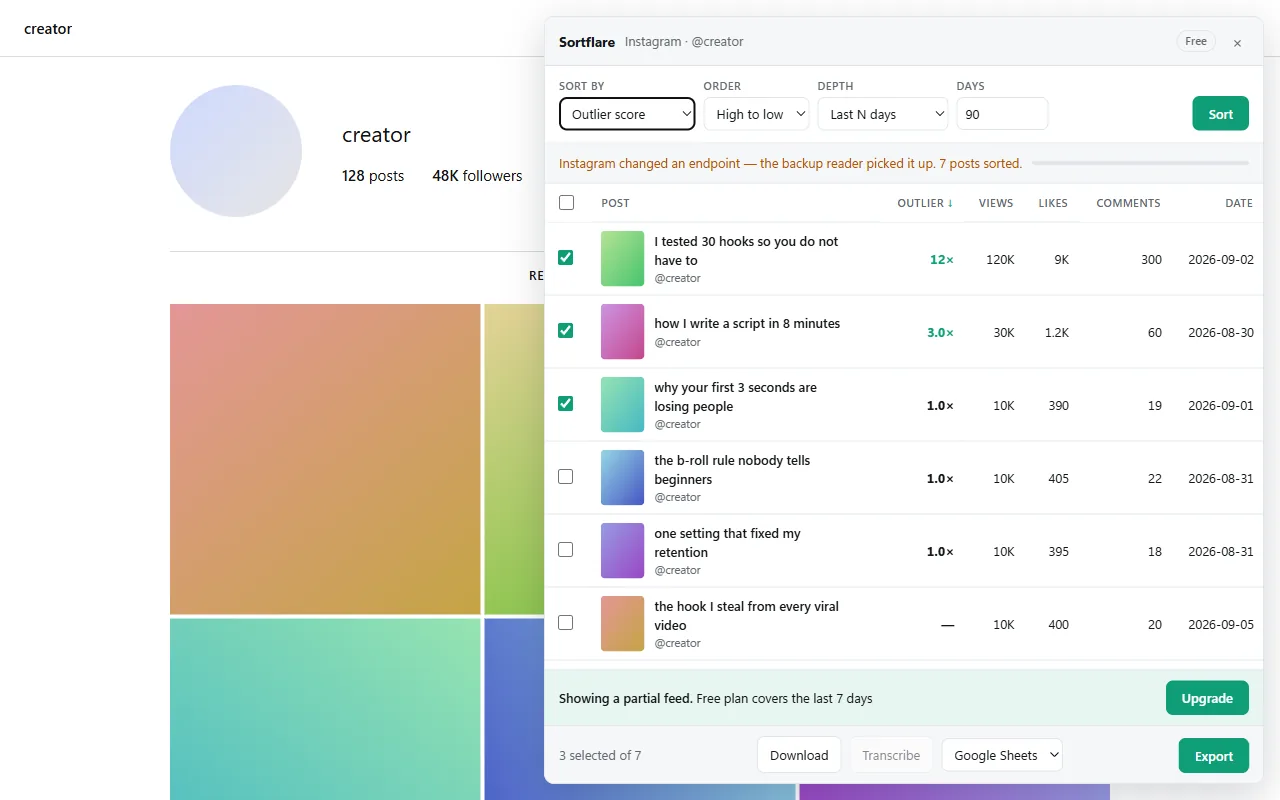
What Sortflare does on Facebook
Facebook support is newer than the others, and the panel says so.
- The Reels feed, a page's Reels and single Reels.
- Sort by views, likes, comments, date or outlier score. The outlier score is a post's views divided by the median views of that same creator's recent posts. A 6× is a real breakout; a million views on an account that always gets a million is a normal day.
- Download Reels in the quality Facebook serves, one or many.
- Transcribe Reels and export the text with the numbers. See transcribing Reels in bulk.
How to see the most viewed Reels on Facebook
Facebook has no "most viewed" option. A page's Reels tab lists them newest first, the Reels feed follows Facebook's recommendations, and neither can be reordered, in the app or on facebook.com. To see a page's most viewed Reels, open its Reels tab on facebook.com, press Alt+S, click Sort and choose Views. The ranked list shows views, likes and comments on every row.
How to find viral Reels on Facebook
The most viewed Reels of a big page are usually just its normal. To find the ones that actually took off, sort by outlier score: each Reel's views against the median of that page's recent Reels. Do it for ten or twenty pages in your niche and the breakouts stand out. The guide to finding viral Reels has the whole routine, and it works the same on Instagram and TikTok.
Questions
How do I sort Facebook Reels by views?
Open the Reels feed or a page's Reels on facebook.com, press Alt+S and click Sort. Sortflare ranks what Facebook has loaded; scroll a little further and sort again to cover more.
How do I see the most viewed Reels on a Facebook page?
Facebook cannot sort them. Open the page's Reels tab on facebook.com, press Alt+S, click Sort and choose Views; Sortflare lists the Reels from most to least viewed.
Can I download Facebook Reels?
Yes. Select the Reels in the panel and click Download. Files are saved in the quality Facebook serves to your browser.
Why does a page's Reels grid sometimes show nothing?
On some accounts Facebook itself renders that grid empty. Open the Reels feed or a single Reel instead; both work.
Free to install. No account to start.
The free plan sorts the latest 25 posts, however old, exports everything and downloads without limits — and, signed in, runs one Pro scan a day. Pro is $49 once, for life.