Export Instagram posts to Excel, CSV or Google Sheets
Instagram's own data download covers only your account and arrives as HTML or JSON files. To get any profile's posts into a spreadsheet with their numbers, export them from the page you are looking at.
How to export
- Add Sortflare to Chrome. It is free.
- On instagram.com, open a profile, its Reels tab, a hashtag, your saved posts or a collection.
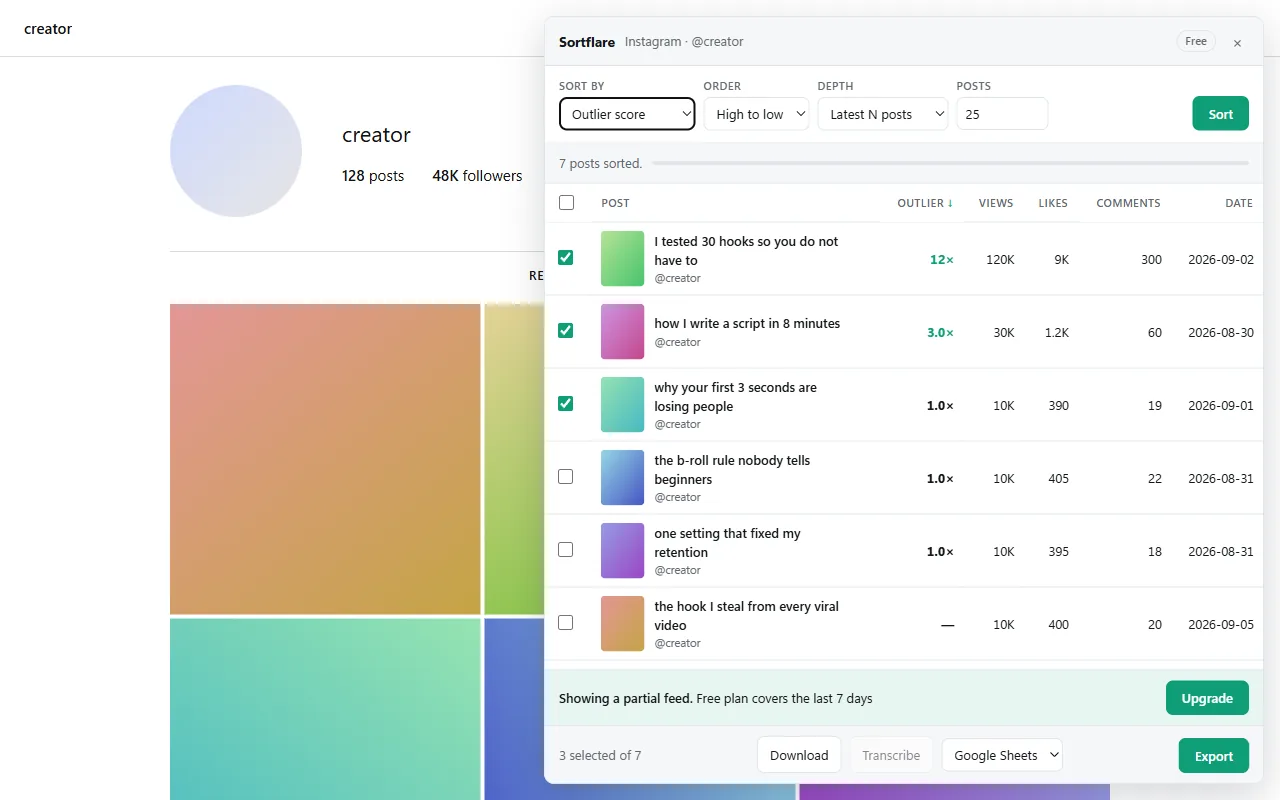
- Press Alt+S and click Sort. Select the posts you want, or none to take them all.
- Pick Google Sheets, Excel, CSV or JSON and click Export.
Google Sheets creates a new sheet in your own Drive. The other formats download as a file.
What is in the file
One row per post, in the order you sorted, with these columns:
- Profile, post URL, date posted and type (Reel, photo or carousel).
- Views, likes and comments, plus shares and saves where the platform makes them public.
- Outlier score and engagement rate, already calculated.
- Length, caption and media link.
- Transcript, on Pro, for the posts you transcribed.
TikTok, YouTube and Facebook too
The same button exports a TikTok profile, search or hashtag, a YouTube channel's videos or Shorts, and Facebook Reels, with the same columns. Exporting several accounts into one sheet is how you compare a whole niche; the guide to finding viral Reels shows the routine.
How many posts
The free plan exports the latest 25 posts or the last 7 days of a page, in every format. Signed in, you also get one scan a day at Pro depth. Pro exports as many as you want, up to everything an account has posted, over any date range, with transcripts.
Questions
Can I export someone else's Instagram posts?
Yes, for public accounts and private accounts you follow. Sortflare exports what your own signed-in tab can see.
Can I export my saved Instagram posts?
Yes. Open your saved posts or a collection on instagram.com and export them like any profile.
Can I export Instagram comments or followers?
No. Sortflare exports posts and their numbers, not the comments under them or follower lists.
Can I export a YouTube channel's video list to Excel?
Yes. Open the channel's Videos or Shorts tab on youtube.com, sort, and export to Excel, CSV or Google Sheets.
Free to install. No account to start.
The free plan sorts the latest 25 posts or the last 7 days, exports everything and downloads without limits — and, signed in, runs one Pro scan a day. Pro is $29 once, for life.