How to see your oldest liked videos on TikTok
Your Liked tab is in the order you liked things, newest first, and TikTok has no button to flip it. There are three ways to reach the old ones, and they answer slightly different questions.
Scroll to the bottom of the Liked tab
Open your profile and tap the tab with the heart. The video at the very end is the first one you liked that is still on TikTok. With a few hundred likes that takes a few minutes. With thousands it can take a long while, because TikTok loads them a batch at a time, and the list does not always load all the way to the end.
The exact answer: download your TikTok data
TikTok keeps a list of everything you liked, with the date and time you liked it, and gives it to you if you ask:
- In the app, go to your profile, open the menu and choose Settings and privacy, then Account, then Download your data. On tiktok.com it is under Settings, Privacy.
- Pick the data to include and the JSON or TXT format, and tap Request data.
- When the file is ready, it appears in the Download data tab. That can take from a few minutes to a few days.
- Open the like list in the file. Every entry has the date you liked the video and its link, so the entry with the oldest date is the first video you ever liked.
The same file has your Favorites with the date you saved each one. It only covers your own account.
Sort your likes by when the videos were posted
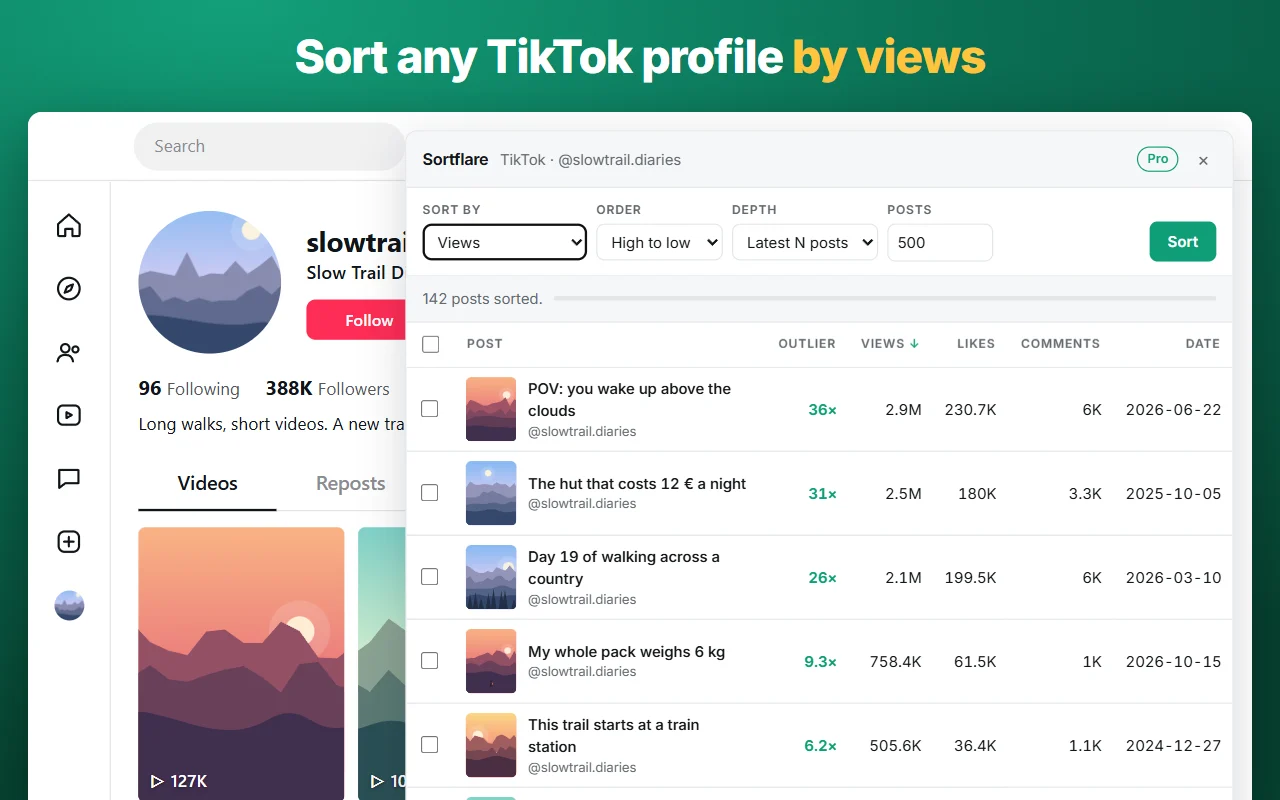
Sometimes the question is not "what did I like first" but "which of the videos I liked are the oldest", or "which had the most views". TikTok cannot sort the Liked tab at all. On a computer, Sortflare can:
- Add Sortflare to Chrome.
- Open your profile on tiktok.com and switch to the Liked tab.
- Press Alt+S, set the scan to cover everything, and sort by Date with the oldest first, or by Views.
Every row has the video's posting date, views, likes, shares and a link. One thing to know: this is the date each video was posted, not the date you liked it. TikTok does not show when you liked a video anywhere on the page, which is why the data download is the only place to get that. The free plan sorts your 25 most recent likes; to go back through all of them you need Pro.
Favorites and collections
Favorites, the tab with the bookmark, is also newest first, and so is every collection inside it. Sortflare sorts them the same way: open the tab or the collection on tiktok.com, press Alt+S and sort by date, views or likes. You can export the list to a spreadsheet with a link to each video, which is a quick way to clean up years of saved TikToks.
Someone else's liked videos
You can only see another person's likes if they made them public. If their Liked tab shows a lock, nobody but them can open it, and no website or extension changes that. If it is public, it sorts like yours. For their own videos rather than their likes, see how to see someone's oldest TikTok video or how to sort their videos by views.
Questions
Can you see the first video you liked on TikTok?
Yes. Download your TikTok data: the like list in the file has every video with the date you liked it, so the entry with the oldest date is your first like. The other way is scrolling to the bottom of your Liked tab.
Can I sort my TikTok liked videos from oldest to newest?
Not inside TikTok. The data download lists them by the date you liked them. Sortflare, on tiktok.com, sorts your Liked tab by the date each video was posted, oldest or newest first, or by views.
Is the date in Sortflare the date I liked the video?
No. TikTok's Liked tab does not show when you liked each video, so Sortflare sorts by the date the video was posted. For the date you liked it, use the data download.
Can I see someone else's oldest liked videos?
Only if they have made their liked videos public. If their Liked tab shows a lock, nobody else can see it.
Can I do this on my phone?
You can request the data download and scroll the Liked tab in the app. Sorting the Liked tab needs Sortflare, a browser extension for Chrome, Edge, Brave, Arc and Opera on a computer.
Free to install. No account to start.
The free plan sorts the latest 25 posts, however old, exports everything and downloads without limits. Pro sorts the whole profile, from $9 a month.